
DCTLog1.3 - Google Play
You'll be able to see results in few seconds.
Publisher Description
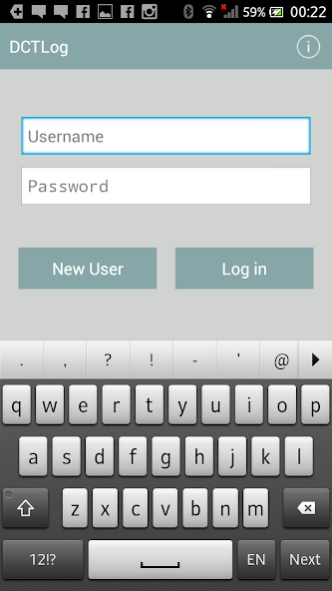
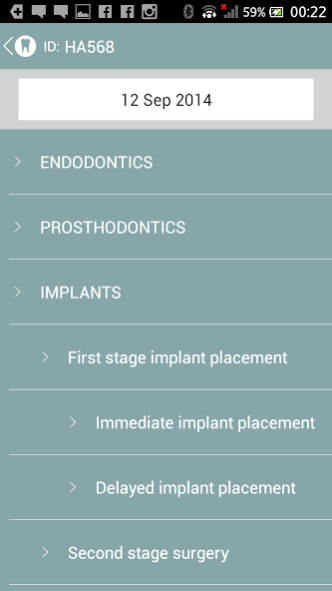
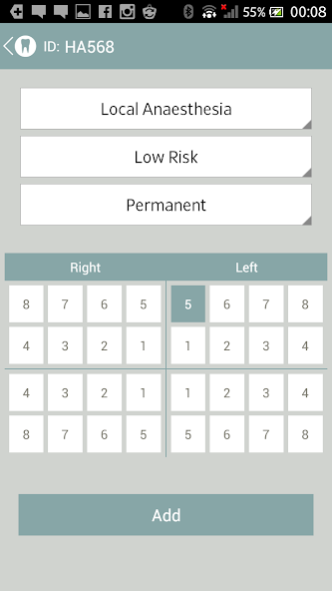
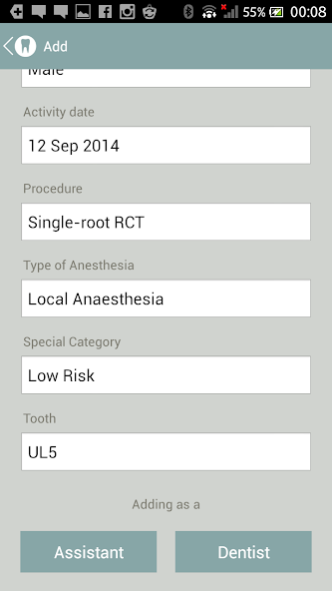
The first of its kind in the world of dentistry, this app keeps a log of your units of activities. Tailored to suit the Dental Core Training programme in the UK, the app has a comprehensive database of items in restorative dentistry, prosthodontics, endodontics, periodontics, conservation, minor oral surgery and implant dentistry with charts suitable for both adult dentition and deciduous teeth.
Keeping messy pieces of paper or spending your valuable time entering data onto the spreadsheets is something of the past! Your logbook is now always in your pocket and it takes only a few seconds to enter a new activity.
Fully compliant with the data protection act. Username and password protected. The app does not record any sensitive data and the output is fully anonymized to protect your patients’ identity.
Suitable for dentists, dental students, postgraduate trainees, residents and registrars who are expected to keep a logbook of their activities.
The app produces reports of actives with details of the sub-speciality, number of units, number of patients, types of anaesthesia (LA, sedation and GA) and difficulty of the management.
The reports can be generated for any timespan of your choice and emailed to the person you choose.
Features
- Rapid data entry
- Enhanced user interface with minimal need to use the keyboard
- Suitable for dentists, dental students, dental core trainees, postgraduate trainees, residents and registrars
- Comprehensive coverage of items of activities in restorative dentistry, prosthodontics, endodontics, periodontics, conservation, minor oral surgery and implant dentistry
- Works with both adult and deciduous dentitions
- Exports reports with custom timespan and emails to the person of your choice
- Fully compliant with data protection act and does not record any sensitive data
- Password protected
About DCTLog
The company that develops DCTLog is Amir Vahid Roudsari. The latest version released by its developer is 1.3.
To install DCTLog on your Android device, just click the green Continue To App button above to start the installation process. The app is listed on our website since 2015-06-09 and was downloaded 0 times. We have already checked if the download link is safe, however for your own protection we recommend that you scan the downloaded app with your antivirus. Your antivirus may detect the DCTLog as malware as malware if the download link to com.avrudi.dctlog is broken.
How to install DCTLog on your Android device:
- Click on the Continue To App button on our website. This will redirect you to Google Play.
- Once the DCTLog is shown in the Google Play listing of your Android device, you can start its download and installation. Tap on the Install button located below the search bar and to the right of the app icon.
- A pop-up window with the permissions required by DCTLog will be shown. Click on Accept to continue the process.
- DCTLog will be downloaded onto your device, displaying a progress. Once the download completes, the installation will start and you'll get a notification after the installation is finished.
Program Details
System requirements
Download information
Pricing
Version History
version 1.3
posted on 2015-06-09
- Now you can export your portfolio as a PDF and HTML file.,- Export your database and send it via email in the Profile View
Disclaimer
Official Google Play Link
We do not host DCTLog on our servers. We did not scan it for viruses, adware, spyware or other type of malware. This app is hosted by Google and passed their terms and conditions to be listed there. We recommend caution when installing it.
The Google Play link for DCTLog is provided to you by apps112.com without any warranties, representations or guarantees of any kind, so access it at your own risk.
If you have questions regarding this particular app contact the publisher directly. For questions about the functionalities of apps112.com contact us.
